Morrow vs Things 3: which is right for you?
Things 3 is a personal task manager for the Mac, iPhone, iPad and Apple Vision Pro, and Things has won the Apple Design Award twice, in 2009 and again for Things 3 in 2017.11 You buy it once. If every device you own is an Apple one, that’s a hard combination to argue with. Morrow is built for a different situation: projects you want to see side by side, devices that aren’t all Apple, and a day you want kept small, with a companion, a small cloud, that starts the day with you and brings it to a close each evening.
I make Morrow, so this is the maker’s view and not an independent review. The facts about Things come from Cultured Code’s own website and support pages and from the App Store listings for Things 3, read on 18 October 2026. Each one links to its source at the bottom. Jump to the comparison
No card needed.
The short answer
Choose Things 3 if all your devices are Apple, you want a native app made for each of them, and you’d rather pay once than every month. Choose Morrow if you also use Windows or Android, or if you want every project on one board. It also suits you if you want a firm limit on today and a companion: a small cloud that hands you the day in the morning and helps you end it in the evening. Things is bought once for each type of device. Morrow is free for a month and then costs €6 a month or €54 a year.
Things 3 and Morrow side by side
| Things 3 | Morrow | |
|---|---|---|
| Best for | People on Apple devices who want a polished personal task manager | People juggling several projects who want one board and a small plan for each day |
| How work is organised | Areas, projects with headings, and to-dos with checklists | Projects with lists of cards on one board, and a separate Today |
| Daily planning | Today, with a This Evening section, and Upcoming | You choose up to five cards for Today by default, and close the day in about two minutes |
| Calendar | Events from Apple Calendar at the top of Today and Upcoming | Any calendar address beside Today, read only, with the free time between meetings |
| Notes on a task | Notes with Markdown, and a checklist | A full page: headings, checklists, tables, pictures and link previews |
| A companion | No AI of its own. Things stays quiet and leaves the day to you | A small cloud that brings your morning brief, notices what has been waiting and closes the day with you |
| AI | No AI of its own; Apple’s Writing Tools in notes, and Siri AI in beta | When you ask: help choosing cards for today, rewriting text, breaking a card into steps. Each change waits for your yes |
| Sharing | No shared lists | Personal only |
| Platforms | Mac, iPhone with Apple Watch, iPad and Vision Pro. No web, Windows or Android | A web app you install on any laptop and phone, Windows and Android included |
| Price | Bought once per device type, from $9.99 on iPhone to $49.99 on Mac | A free month, no card needed, then €6 a month or €54 a year |
Where Things 3 is the better app
I’m a product designer, and I think small details of an interaction are where an app wins people or loses them. This page sticks to what Cultured Code’s own pages say, and those pages describe a lot of small, careful decisions:
- A day with a shape. Today shows your calendar events at the top, your to-dos under them, and a separate This Evening section at the bottom.1 The events come from Apple Calendar, so other calendars are synced there first.6
- Start dates and deadlines. A to-do can have a day to start it and a separate deadline,4 and it waits in Upcoming until its start date arrives.2
- Notes in Markdown. Notes support bold, headings, links, quotes and more with Markdown.5
- Your watch included. The Apple Watch app comes free with Things for iPhone.7
- AI only if you want it. Things has no AI of its own.16 On Apple devices that have them, Apple’s Writing Tools work in your notes,17 and since version 3.24 Things supports Apple’s Siri AI, in beta, in English and in some regions.18
This Evening is the detail I find most telling. It accepts that a day has two halves, and it does so without asking you to plan either half by the hour. That’s the kind of decision that looks small on a features page and makes a real difference when you use something every day.
The first question is which devices you use
Things runs only on Apple devices. Cultured Code’s own support page lists Windows, Android, Linux and the web browser as places where it doesn’t work.7 If your phone is an Android, or your work laptop runs Windows, that decides it before anything else on this page does.
Morrow is a web app. You install it from your browser on a Mac or a Windows laptop, an iPhone or an Android phone. It gets its own icon and window, and your board is the same on all of them. The price for that is that Morrow isn’t a native app from the App Store, and there’s no Morrow for your Apple Watch.
The biggest difference: a companion in the corner
Things is quiet by design, and it has no AI of its own.16 You open it, it shows you a beautifully laid-out list, and the rest is up to you. For a lot of people that restraint is exactly the appeal.
Morrow is quiet too, but it isn’t silent. It comes with a companion: a small cloud in the corner of the app. I drew it myself, and it’s how Morrow talks to you: a short note now and then, with a button that says what it does.
- It hands you the day. The first time you open Morrow in the morning, it asks whether you want your brief: what you finished yesterday, where you left off and what’s on today.
- It notices what’s stuck. A card that hasn’t changed in weeks, with an offer to break it into small steps, and a card you keep moving forward. After some time away it says “There you are.” and names the card you last worked on.
- It closes the day with you. At the hour you choose, it offers to close the day, and then it says good night.
- It’s a little proud of you, on your seventh and your thirtieth closed day.
Its face tells you what it’s doing: it thinks while it reads, smiles when you tick a card off, and falls asleep when you leave it alone. It never nags, counts streaks or puts a card on a day by itself, and most of what it says it works out from your own board, on your device, without AI. If you like Things because nothing in it ever speaks to you, that’s a fair reason to stay. If you’ve wished your task manager would hand you the day instead of just showing you a list, this is the part of Morrow I’d try first.
Two ways to decide what today is
Both apps let you choose what goes on today. In Things you do it with dates: a to-do shows up in Today when its start date, deadline or repeat says so.2 Cultured Code describes the Today list as one that “holds to-dos that you want to start before the day ends”.2
What Morrow adds is a limit. Today holds the cards you put there, up to five by default, and every card has a plus that puts it on Today. When the day is full, Morrow says so, and adding another means taking one off or raising the number on purpose. I built Morrow around that limit: everything stays on your board, and only a few things get your attention today. The rest is still there. It just isn’t competing with what you chose.
If you’re not sure which cards to pick, Help me choose suggests a few for today, each with a reason, and nothing goes on Today until you say yes.
What happens in the evening
Things already gives the evening a place: the This Evening section at the bottom of Today.1 Morrow uses the evening for something else. At your close hour the cloud asks if you want to close the day. You see what you finished, and each card that didn’t get done gets a decision: tomorrow, a new date, back on the board, or done. It takes about two minutes, and Morrow offers it from your very first evening, because a routine you don’t meet on day one is one you won’t know about on day two.
Small details like that are most of the design work. When a whole day got away from you, for example, the next morning doesn’t make you answer for every leftover card. One press keeps one of them and parks the rest on the board.
Areas and projects, or one board
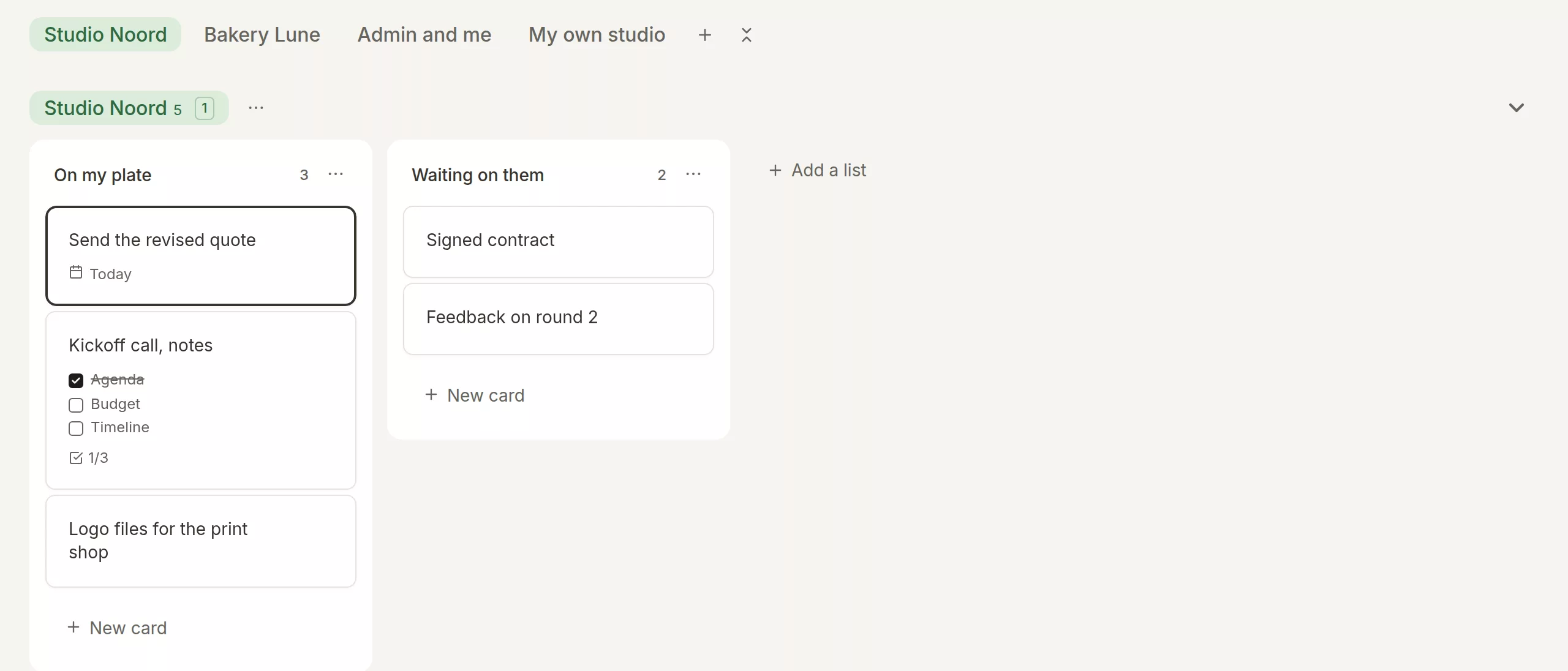
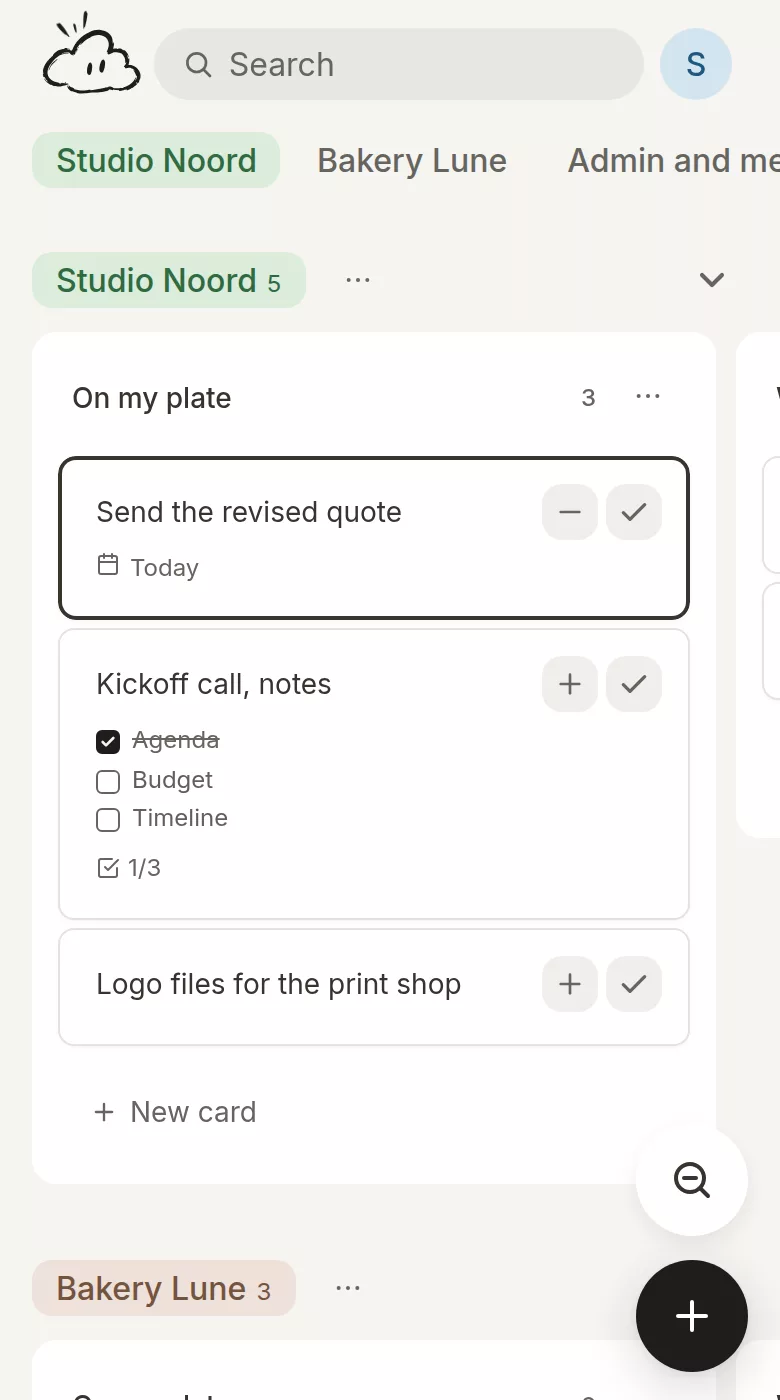
Things groups projects into areas, such as Work or Family, and a project is a goal that needs more than one step.13 Morrow puts every project side by side on one board, each with its own lists of cards, so you can see at a glance which client is waiting and which project has gone quiet.
Paying once, or paying every month
This is the difference I most want to be straight about. Things 3 is a one-time purchase for each platform, with no subscription,7 and Things Cloud keeps your devices in sync at no cost.8 Some people simply prefer to pay once and own the thing, and that’s a fair preference. Counted in money alone, paying once comes out cheaper if you keep an app for years.
Morrow is a subscription. It keeps your board in sync on every device and runs its AI on our side, and both cost money every month. What I can promise is how it works: a free month that needs no card, no ads, no selling your data, and an export of your whole board as one file whenever you want it. The price you start at is a founder price, and it stays the same for as long as you stay.
What Morrow doesn’t do
Morrow isn’t in the App Store, so there’s no native app for Mac or iPhone and nothing for Apple Watch or Vision Pro. A card has one date, without a separate start date and deadline. You can’t share a board, though Things doesn’t share lists either.7 There’s no one-time price and no free plan after the first month. And there’s no direct import from Things: the quickest way over is to paste your to-dos into the brain dump, one per line, and every line becomes a card.
A day with a Mac and an Android phone
Say you write for four clients, run a newsletter of your own, and work on a Mac with an Android phone in your pocket.
With Things, you’d need an Apple phone as well, because Things has no app for Android and no web version.7 On the Mac, each client becomes a project inside a Work area, and Today shows your calendar events at the top with the to-dos that start today below them.12
With Morrow, you install it on the Mac and on the phone, and each client is a project on your board. The morning brief tells you what you finished yesterday and what’s on today. You put four cards on Today next to your two calls, and in the evening you close the day: three cards done, the fourth moved to tomorrow.
Pricing
| Things 3 | Morrow | |
|---|---|---|
| How you pay | Once per device type, no subscription | A subscription, monthly or yearly |
| Trial | 15 days on the Mac. No trial on iPhone or iPad | A free month from the day you sign in, no card needed |
| Price | Mac $49.99, iPhone with Apple Watch $9.99, iPad $19.99, Apple Vision Pro $29.99 | €6 a month, or €54 a year |
| More than one device | Each one is bought separately: Mac, iPhone and iPad together come to $79.97 | Every device is included |
| Sync | Things Cloud, free | Included |
Things’ prices are in US dollars, from Apple’s US App Store listings, read on 18 October 2026.12131415 Cultured Code sets a price in US dollars and Apple sets the price in other currencies,10 so prices in your country may differ, and there are sometimes sales. The trial is described in Cultured Code’s support pages.9 Morrow’s prices are in euros. Prices may not include tax.
Which one fits you?
Things 3, if…
- Every device you use is an Apple one, and you want an app that feels at home on each.
- You’d rather pay once than subscribe.
- You plan with start dates and deadlines, and like having an evening section in your day.
- You want a task manager without AI of its own.
Morrow, if…
- You use Windows or Android, or a work laptop where you can’t install apps.
- You work on several projects and want to see them all on one board.
- You want a firm limit on today, and a short routine that closes it.
- You’d like AI on hand to help pick your day and tidy your writing, when you ask for it.
Questions
Is Morrow a good alternative to Things 3?
It is if you need more than Apple devices, or if you want every project on one board and a limit on today. If you’re happy on Apple devices and like paying once, I’d stay with Things.
Does Morrow work on Windows and Android?
Yes. Morrow is a web app, so it works in any modern browser, and you can install it on a Windows laptop or an Android phone like an app.
Does Morrow have an Apple Watch app?
No. Morrow has no watch app. Things for Apple Watch comes free with Things for iPhone.7
Does Morrow show my calendar like Things does?
Yes, beside Today. Things reads your events through Apple Calendar.6 In Morrow you add a calendar address from Google, Outlook, Apple or another app, and Morrow shows your meetings with the free time between them. It only reads your calendar and never changes it.
Can I bring my to-dos from Things into Morrow?
There’s no direct import from Things. You can paste a list of to-dos into Morrow’s brain dump, and every line becomes a card.
Why does Morrow cost a subscription when Things does not?
Morrow keeps your board in sync on every device and includes AI, which costs money every month, and I’d rather charge for that openly than through ads or your data. Things is bought once per Apple platform. If paying once matters most to you, Things is the better fit. Otherwise, try Morrow free for a month first, with no card needed.
What is the cloud in Morrow?
Morrow’s cloud is a small companion in the corner of the app. It brings your morning brief, notices cards that have been waiting, offers to close the day with you each evening, and helps you choose cards for today when you ask. By Cultured Code’s own account, Things has no AI of its own.
Is this comparison independent?
No. I make Morrow and I wrote this page. Everything I say about Things links to Cultured Code’s own pages or to the App Store listings for Things 3, so you can check each claim yourself.
Want a little less to think about?
Put every project on one board, keep today to a few cards, and close it in the evening. It works in the browser you already have, on whatever device that is.
No card needed.
Sources
Cultured Code’s website and support pages, and the App Store listings for Things 3, read on 18 October 2026. Things is a trademark of Cultured Code GmbH & Co. KG. Morrow is not connected to Cultured Code.
- Cultured Code, Things features
- Things Support, The default lists
- Cultured Code, The Things guide
- Things Support, Scheduling to-dos in Things
- Things Support, Markdown guide
- Things Support, Connecting your calendars
- Things Support, Getting Things
- Things Support, Syncing with Things Cloud
- Things Support, Trying the app
- Cultured Code, Things pricing
- Cultured Code Blog, Back from WWDC
- App Store, Things 3 for Mac
- App Store, Things 3 for iPhone
- App Store, Things 3 for iPad
- App Store, Things 3 for Vision
- Things Support, Third-party AI tools and Things
- Cultured Code Blog, Writing Tools
- Cultured Code Blog, Things for OS 27 and Siri AI